A clearer way to manage international university applications

The University Application Workspace (UAW) brings application progress, tasks, deadlines, documents, and updates into one shared place, helping you reduce admin and keep next steps clear.

School counselor working on a laptop in an office with bookshelves and student seating.

The problem with managing applications across disconnected systems

If you manage international applications, the work can easily end up spread across too many places at once. Progress sits in spreadsheets. Updates live in email. Documents are stored across folders and shared drives. Key details are often spread across portals, notes, and memory.

That becomes harder when your students are applying across different countries, each with their own systems, timelines, requirements, and deadlines.

The result is a lot of manual work. You spend time chasing updates, checking what is missing, and piecing together the current picture instead of focusing on the guidance your students need.

Counselor working late at a desk with multiple screens, spreadsheets, emails, documents, folders, and deadline notes.

What is the UAW?

The University Application Workspace is a shared workspace for managing the work behind university applications.

It is designed to bring together the practical parts of the process in one place, including application progress, tasks, deadlines, documents, notes, and updates.

Instead of relying on disconnected tools, you and your students can work from the same up-to-date view of the process. That makes it easier to understand what has happened, what still needs attention, and what comes next.

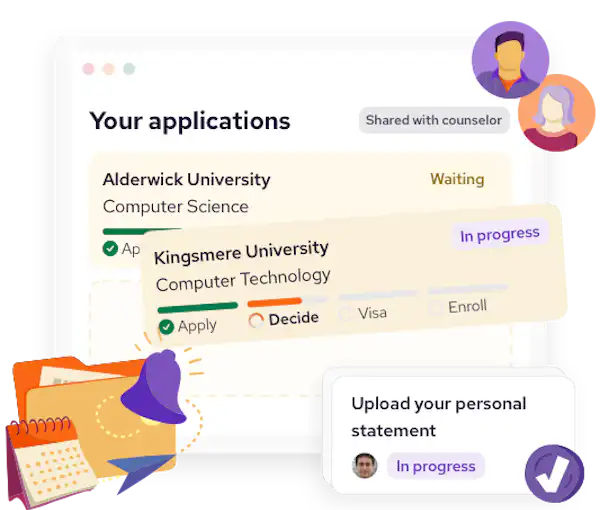
An illustration of an application tracking dashboard showing university applications status. One is 'waiting,' another 'in progress'. A task card to upload a personal statement sits on top.

What it helps you do

  • Illustration of a person sitting cross-legged with a laptop on their lap. Behind them is a large orange folder containing documents. There is a check mark within a circle icon to the right, suggesting completion.

    Improve visibility

    See student and application progress more clearly, without piecing it together manually.

  • Illustration of a graduate in a purple cap and gown facing an advisor, who has their back facing out. Speech bubbles with lines and a check mark float around them, suggesting a conversation or advice about studying abroad.

    Clarify next steps

    Make ownership easier to follow, so you and your students can see who needs to do what next.

  • Illustration of a folder with documents, a certificate, and a passport, with a blue checkmark badge in front.

    Keep documents organized

    Manage files and supporting information in a more consistent and accessible way.

  • Illustration of an orange folder with documents partially inside, accompanied by a purple bell with sound lines, and a red gear with a clock face in the center.

    Spot what needs attention

    Identify what is complete, what may be at risk of delay and what is missing - supported by automated reminders.

Built with counselors, for counselors

The UAW is not generic workflow software repurposed for schools.

It is being developed around the reality that international school counselors often spend too much time managing admin across multiple countries, admissions systems, and student applications.

It is also not just another student-facing tool. It is designed to support the shared work behind applications, so you have better oversight and your students have clearer direction.

Most importantly, it is being shaped with practicing counselors, so the product reflects real school workflows, constraints, and pressures.

A group of five counselors sit around a conference table in a meeting room, discussing session objectives and next steps with notes, charts, and a laptop in front of them.

Bringing university applications into one place

The aim of the UAW is simple: to replace fragmented application management with a clearer shared system.

By bringing university application work into one place, it helps you reduce chasing, improve visibility, and make next steps easier to manage.

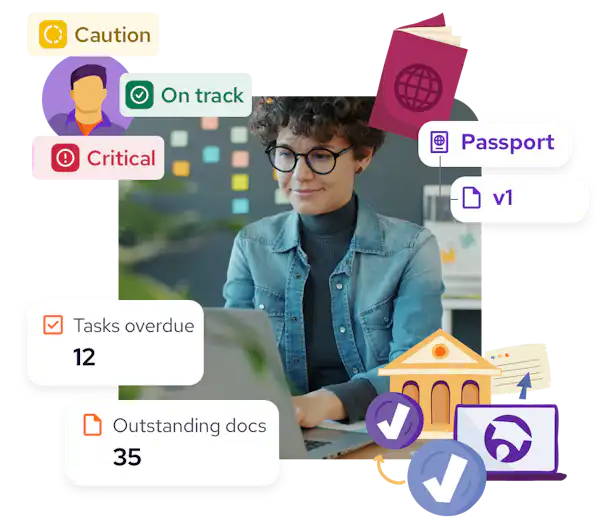
A female counselor in glasses surrounded by cards showing "Tasks overdue: 12," "Outstanding docs: 35," with labels "Caution," "On track," "Critical" around a student icon.